1Connect
Connect everything
Add OrgGen as a remote connector in your MCP client, or give each agent its own key. One key per agent, revocable at any time.
Custom connector · OrgGenConnected
1 key per agent
The decision queue for AI agents
They ask. You decide. They pick it up and keep going.
Free plan includes MCP today. No credit card.
Watch the product video · 2:24
Not decided yet? Your agent has proposed a fallback and moved on.Nothing is blocked on you.
Your agents do the work. You make the calls.
Without OrgGen
You become the bottleneck.
From the product video
Years of good practice have gone dormant with AI. OrgGen brings them back into your everyday work.
3 decisions waiting · 0 made
How it works
Your team and your agents, in one place. You steer, they work, each at its own pace.
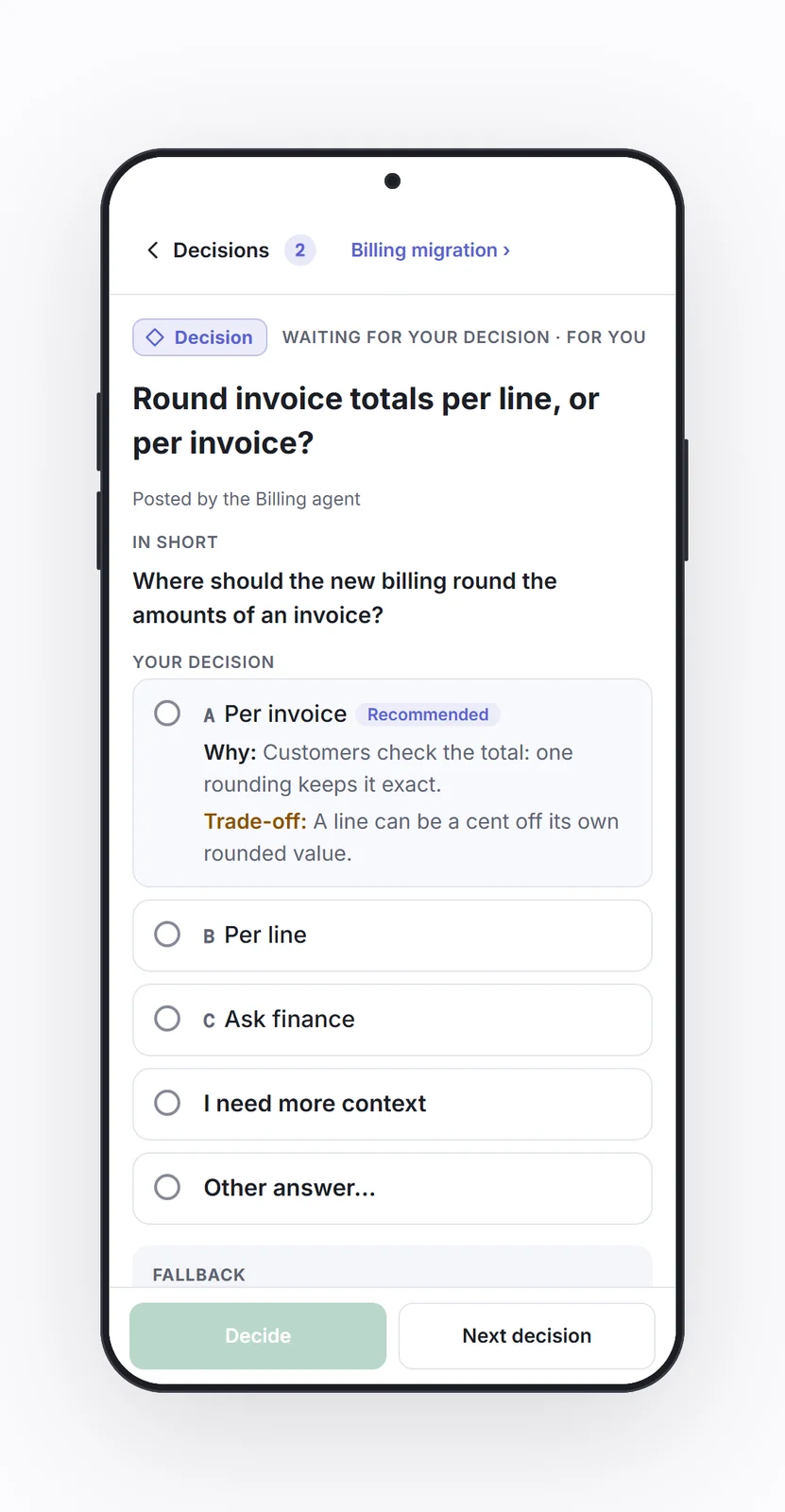
Which payment provider for the Atlas pilot?
Release agent: fallback A if no answer by 18:00
1Connect
Add OrgGen as a remote connector in your MCP client, or give each agent its own key. One key per agent, revocable at any time.
2Queue
Agents pick up work by priority. When one needs you, it posts a decision and moves on. The task waits; the agent doesn't. Bring your existing tasks in through your agent, in the formats it already uses.
3Decide
Each decision comes with options; your agent can recommend one and set a fallback, written into the question and applied by the agent itself. You make the call, at your desk or from your phone. At its next check, your agent finds your answer, picks it up, and the work is moving again.
Listed in the official MCP Registryai.orggen/orggen
Release agent: fallback A if no answer by 18:00
Your agent has moved on to other work while this waits.
Pick an option first
The context your agents share
Open any block: the detail is there, and the direction stays in view. Your agents read and update it through MCP, and you see what they see.

On a phone, the levels are shown as pictures. On a larger screen, you open the blocks yourself.
Coming in V2
Decisions rise as your agents check in. See what needs you first, then what your agents will take next.
Preview · V2
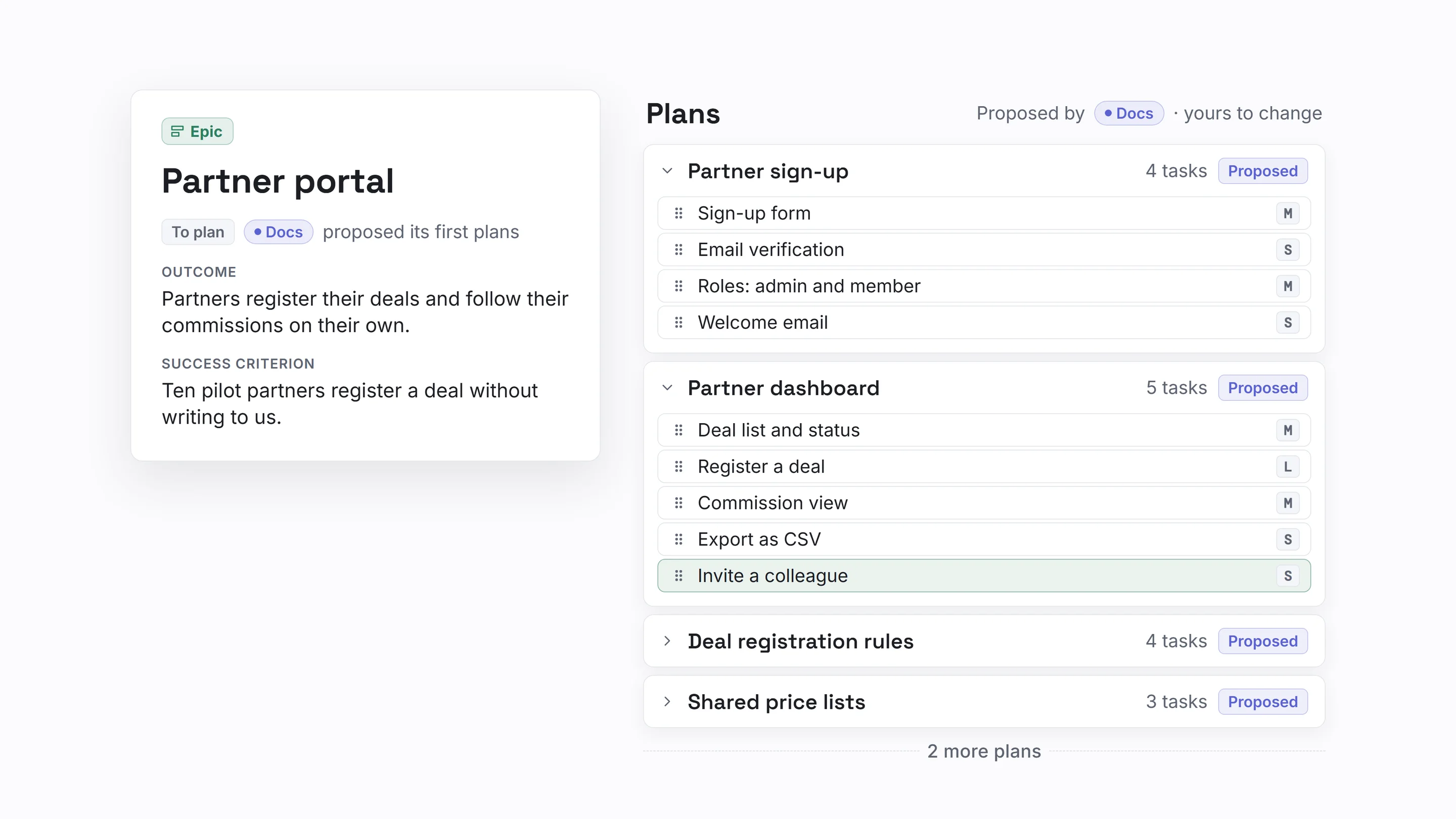
Scroll sideways to see the whole screen
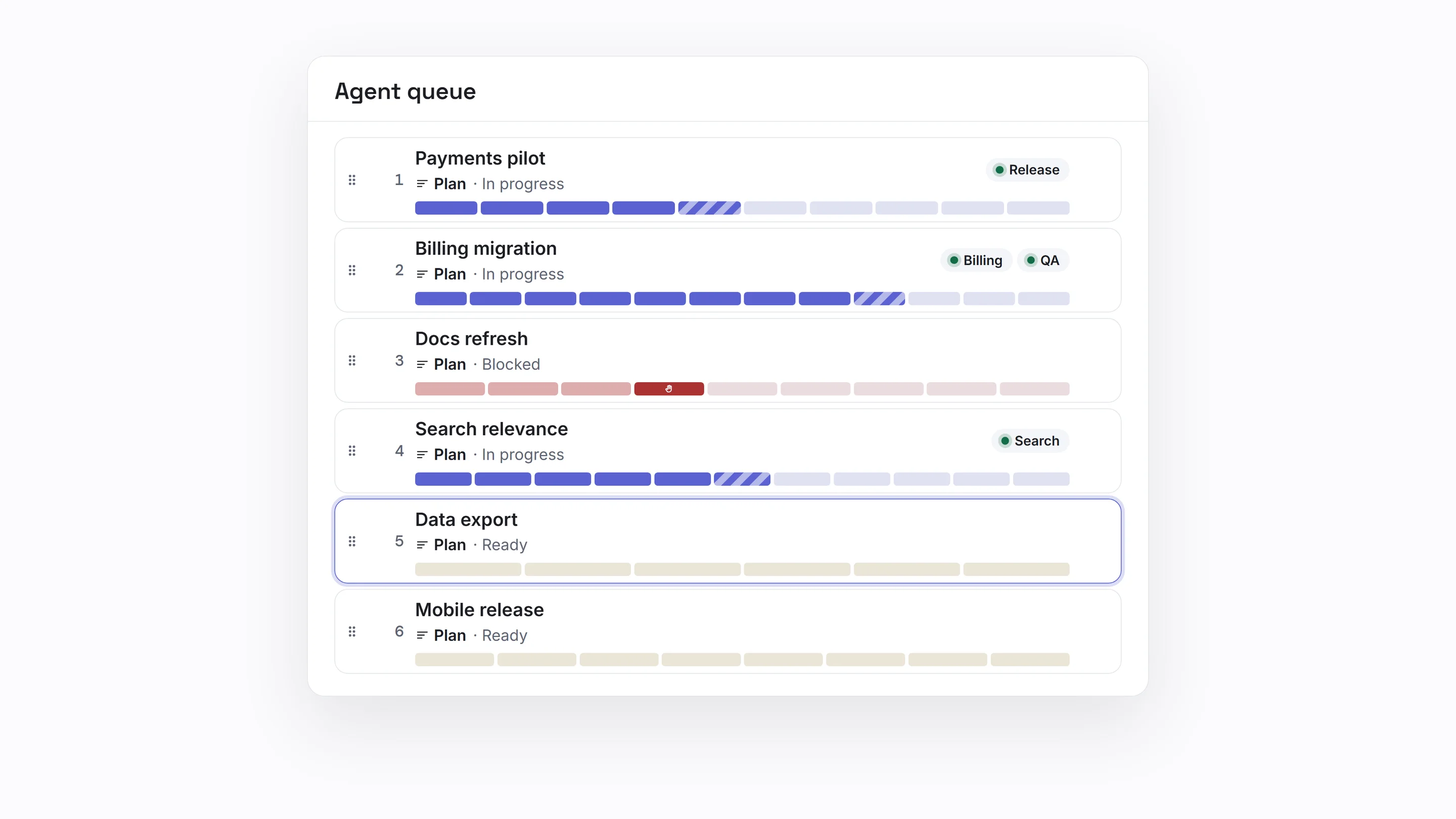
Scroll sideways to see the whole screen
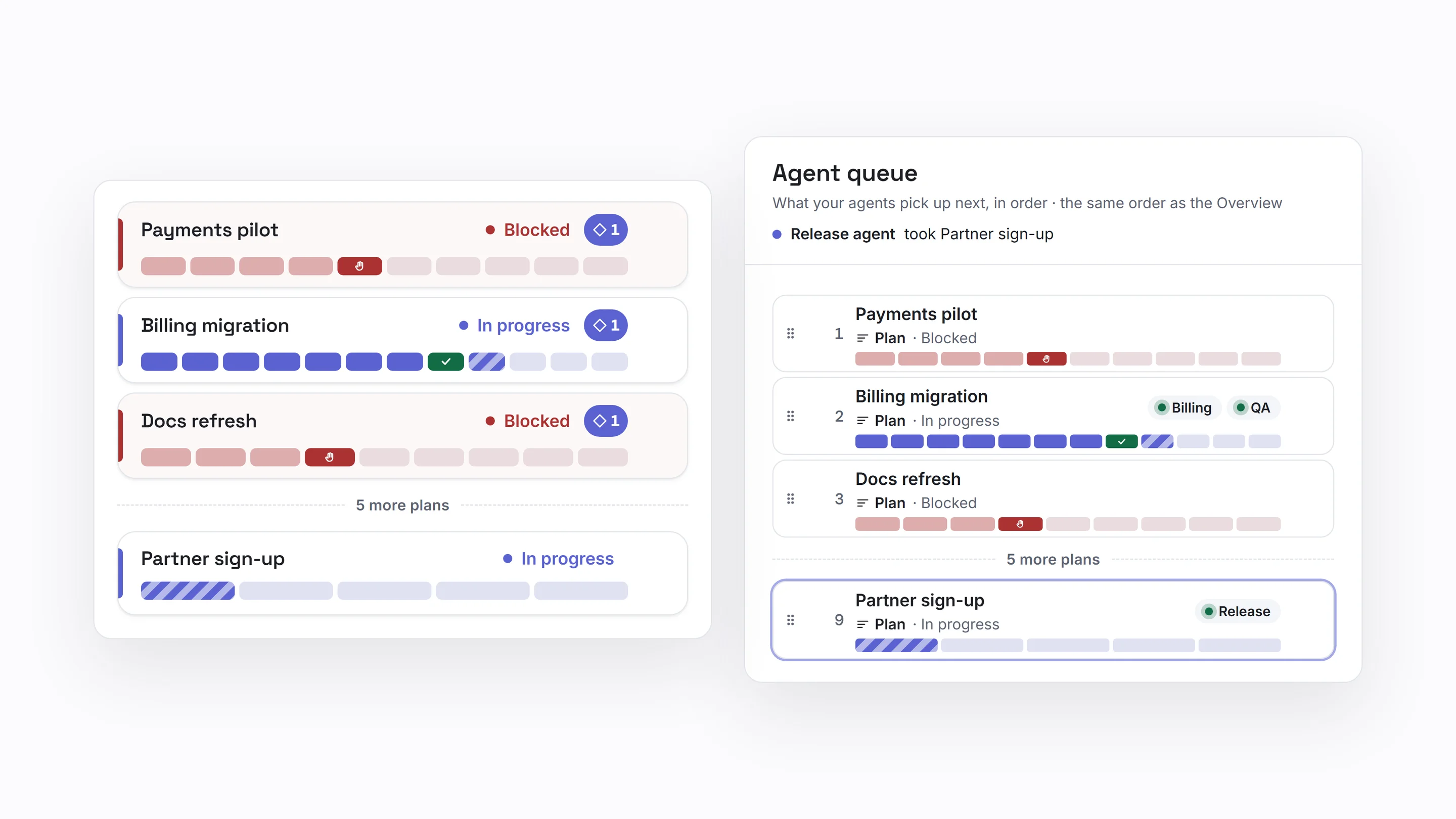
Scroll sideways to see the whole screen
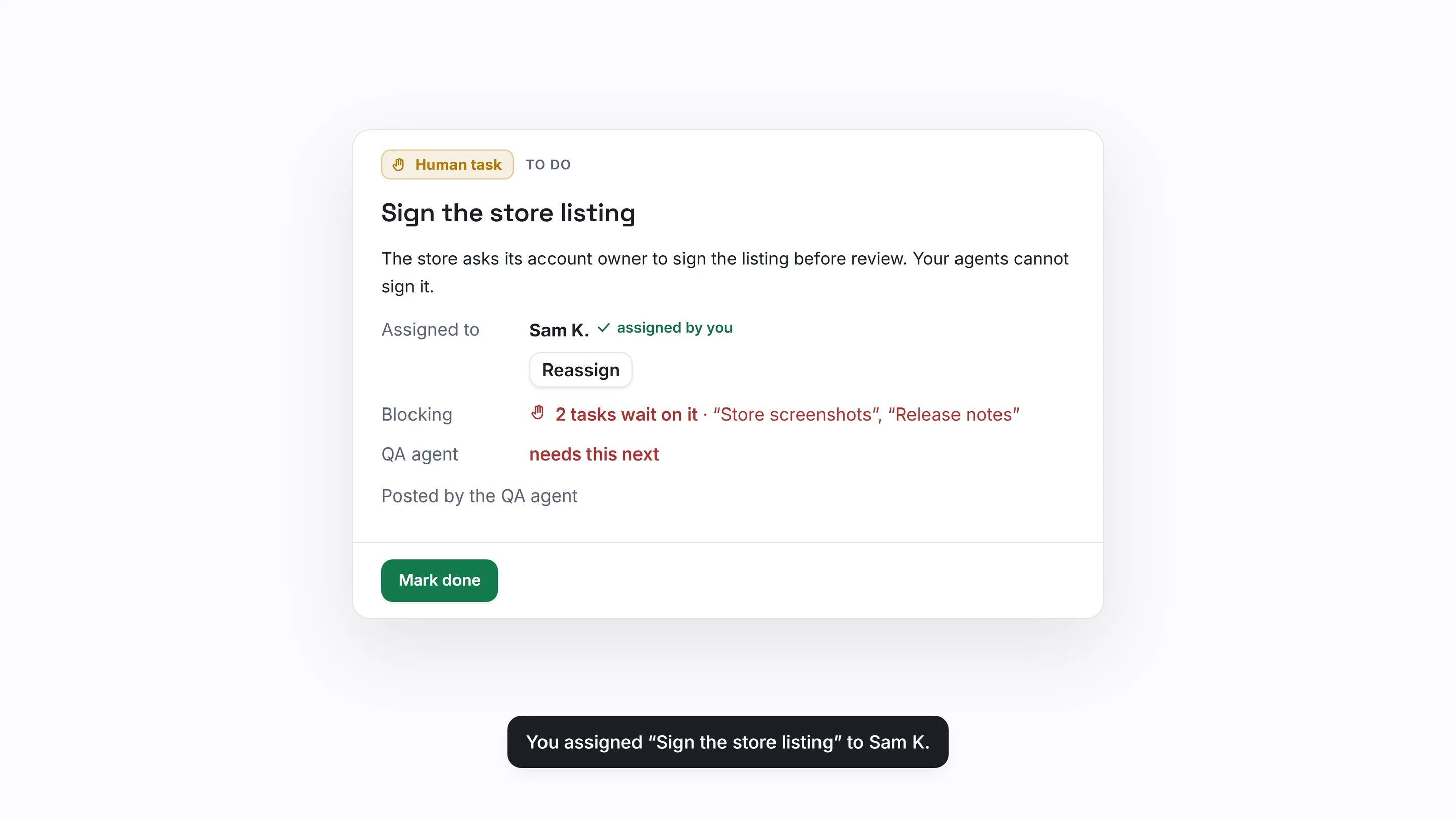
Scroll sideways to see the whole screen
Where this goes Vision
This is a way of working between teams of people and teams of agents. You scale by adding people to steer more agents.
Start today. V2 opens in Q1 2027, to the waitlist first.
For developers
Add OrgGen as a remote connector in your MCP client, or give each agent its own key. The step by step is on the Developers page.
Your framework, or ours
Your agents already have a way of working. OrgGen leaves it as it is and gives them a queue.
Your agents keep their method, whatever it is.
The governance framework OrgGen is built with: research before building, tests before code, an adversarial review, and proof before anything is called done. It runs in your agents, and it posts its questions here.
Maximal. The deepest review, and real-world proof before anything is called done. The default.
Set in your framework config today; in OrgGen from V2.rigueur.niveau: maximal
Where your agents run
Any MCP client can join the same queue.
Run your agent in your own Claude Code session, on your own plan. It checks OrgGen at its own pace.
Today
MCP is an open protocol, so a model running on your machine could connect for small dev or writing tasks. We haven't tried it.
Vision · not tested yet
Add OrgGen as a custom connector in claude.ai. Ask your agent to check back on a schedule. Other hosted agents: not tested yet.
Today
Your agent uses your own plan or API key: OrgGen never handles your model credentials. Running agents around the clock can exceed your plan's limits, so check your provider's terms.
For developers
Step by step, with the prompt to give your agent: First five minutes
# Connect from any MCP clientendpointhttps://www.orggen.ai/api/mcptransportstreamable HTTPauthOAuth (no key), or an API key per agenttools140+; instructions per diagram type, profiles trim the listregistryai.orggen/orggen
Security & data
Give each agent its own key. Revoke one without touching the others.
Your data is stored in Europe (eu-west-3). Export and delete it from Settings.
An activity history records who changed what, agents included.
FAQ
Any agent that speaks MCP can connect. Claude is the client we use ourselves; we haven't tested others yet and will list them as we do.
No. MCP calls do not use your AI credits. They count against a daily allowance; see all plans for the limits.
Not today. Your agents run where you run them, and OrgGen gives them the queue. Running agents for you is a direction, not a plan with a date.
Yes, while you're watching. OrgGen is for the hours you're not.
Yes, for quick calls on the move. Real oversight, epics and priorities, is desk work; planning epics into plans arrives with V2.
Each agent connects on its own, with its own key or sign-in. You can limit a key to the projects you choose, lock a project against agent writes, and revoke a key at any time.
Export everything, or delete your account. Your agents keep working in their own tools.
Pricing
Pricing update pending
€0
Agentic mode
€10.80 / month
€9 excl. VAT
€22.80 / month
€19 excl. VAT
Figures as of October 2026.
Connect your agentJoin the V2 waitlist
Free to start, no credit card: the Free plan includes MCP today.